


Downloader
3.220.00 Reviews
App Specs
- Version
- 4.2.2
- Updated On
- License
- Free
- Downloads
- 1,000,000+
- Developer
- Supono Holdings LTD
- Categories
- Productivity
- Platform
- Android
Screenshots

 Analysis by AppCompare
I spend a lot of time moving files between my phone, cloud services, browsers, and messaging apps, so a dedicated downloader can sound more useful than it first appears. Downloader is a free productivity app from Supono Holdings LTD designed to download and manage different kinds of digital files. After using it, I see its main appeal clearly: it tries to give file downloads a more deliberate home instead of leaving everything scattered across browser folders and app-specific storage.
That sounds simple, and in practice the simplicity is both its strength and its limitation. This is not an all-purpose work suite or a replacement for every file tool on a phone. It is better understood as a focused utility for people who regularly save documents, media, and other downloadable content and want a single place to keep track of it. The free entry point makes it easy to try, while the optional purchases mean you should judge the app by the basic workflow before spending anything.
How Downloader fits into everyday file management
I find Downloader most useful when I treat it as a staging point rather than a permanent archive: I can gather files first, then decide which deserve a lasting home. That simple distinction helps prevent a tidier download routine from turning into another pile to sort. The next section looks at the small setup choices that make this workflow easier to maintain.
A practical home for downloads
The most useful way to think about Downloader is as a middle layer between the place where a file originates and the place where you eventually use it. A browser may download a document, a social app may save an image, and a messaging service may keep an attachment inside its own conversation. That arrangement is convenient until you need to find something later. A dedicated downloader can make the process feel more intentional by putting download activity and file handling closer together.
In my experience, this is especially helpful when I am collecting several files for one short task. For example, I might save a form, an image needed for reference, and a document sent by a colleague. Instead of opening several unrelated apps and trying to remember where each item went, I can use a downloader-oriented workspace as the starting point. The benefit is not that the phone suddenly becomes more powerful; it is that the retrieval process becomes easier to reason about.
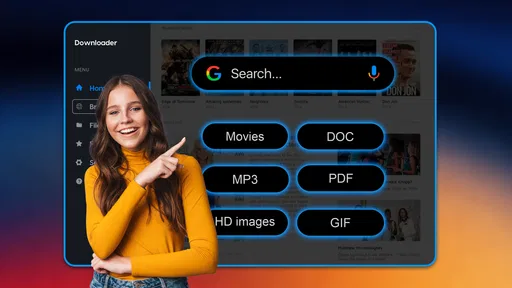
The app’s store summary describes it as a downloader for downloading and managing various types of digital files. That broad wording is important. It suggests a general file workflow rather than a tool built around one specific format. I would therefore approach it as a utility for mixed downloads, not as a specialized media editor, document reader, or cloud-storage replacement.
What the free access means for value
Downloader is free to install, which gives it a low-risk starting point for people who want to test whether a separate download manager actually improves their routine. The app includes in-app purchases priced at $4.99 per item. That means the sensible value test is straightforward: use the free experience first, identify whether it solves a recurring problem, and only then consider whether an optional purchase adds enough convenience to justify the cost.
Worth Reading Before You Choose

EA SPORTS FC Mobile 26 Is a Bigger Football Game, but It Takes Time

Flipboard Shows What News Apps Must Do Beyond the Feed

Switching to Android Auto Means Rethinking Your Driving Routine

Google Calendar Makes a Crowded Week Easier to Manage

Ludo King Makes the Most of the Minutes Between Plans

Baby Panda World Brings Quick Play to Modern Phones, but Its Game Library Feels Busy
I like this approach more than judging the app by a promise of advanced functionality. A downloader earns its place through repeated small wins: finding a saved file quickly, keeping downloads from becoming chaotic, or reducing the number of steps needed to move an item from a website to another app. If those wins do not appear during normal use, paying for an extra item is unlikely to change the basic fit.
The price structure also makes the app more suitable for occasional users than for someone who wants to commit immediately to a paid file-management system. You can begin without an upfront charge, learn the workflow, and decide later. For a productivity tool, that matters because personal file habits vary widely. What feels essential on one phone may feel unnecessary on another.
Where it sits beside usual alternatives
The usual alternative is simply using the browser’s built-in download handling and the phone’s default file manager. That combination is often enough for a person who saves a document once in a while. It usually has the advantage of being familiar and already integrated with the operating system. If your downloads are rare and easy to locate, adding another app may create more steps rather than remove them.
Downloader becomes more interesting when the default tools feel fragmented. A browser may be good at starting a download but less comfortable for organizing a growing collection. A basic file manager may show folders clearly but offer less focus on the act of downloading. Downloader’s potential advantage is the connection between those two jobs: obtaining files and keeping them manageable afterward.
Cloud-storage apps are another comparison point. They are generally better when the main goal is synchronization across devices, collaboration, or long-term backup. Downloader is a more direct choice when the immediate problem is saving and handling files locally on a mobile device. I would not choose it as my only answer for cross-device document access, but I can see its role before a file is uploaded, shared, or moved elsewhere.
A realistic daily workflow
Imagine preparing for a trip while using only a phone. You save booking documents, a map image, a confirmation file, and a few reference items from different sources. The challenge is not downloading any single item. The challenge is remembering where each one landed and opening the correct app when you need it at the airport. A dedicated downloader can give that preparation a clearer center.
My practical tip would be to treat downloads as temporary working material rather than an endless archive. After saving a group of files, I would review them, remove duplicates, and move anything important into the long-term location where I normally keep records. This prevents the downloader from becoming another crowded folder. The app is most useful when it supports a routine, not when it becomes a dumping ground.
A second useful habit is to decide what a file is for before downloading it. If an item is only needed for a quick reference, keeping it in a download workspace may be enough. If it is a receipt, contract, or personal record, I would move it into a more permanent, clearly named folder afterward. That distinction reduces the risk of assuming that a file is safely organized simply because it appears in a download list.
Small workflow decisions that make a difference
One non-obvious trade-off with any downloader is that convenience can encourage accumulation. The easier it becomes to save files, the easier it is to postpone sorting them. I would use Downloader in short cleanup sessions: after a project, a trip, or a burst of research, I would review what remains and decide what should stay. This turns the app into a staging area instead of another permanent clutter source.
Another practical insight is to separate downloading from editing. A file manager may help you obtain and locate an item, but that does not automatically make it the best place to modify it. I would download first, check that the file is the one I intended to save, and then open it in the app designed for editing or viewing. That two-step approach is slower than expecting one tool to do everything, but it is less confusing and makes the role of Downloader clearer.
I would also be cautious with important files until I have verified my own organization routine. When a document matters, I would open it after downloading, confirm that it is complete, and place it in my normal backup or storage system. This is not a criticism unique to Downloader; it is a sensible rule for any download utility. A visible file is not automatically a safely archived file.
What may feel less convenient
The app’s average rating is 3.3 from around 2.9 thousand ratings, so I would not approach it expecting a universally smooth experience. That does not tell me exactly which issue each person encountered, but it does suggest that the app may not fit every device, workflow, or expectation equally well. I would keep the first session focused on a simple download rather than immediately relying on it for a large collection of important files.
There is also a possible learning cost in using a separate downloader alongside the tools already built into a phone. Every additional file app can create uncertainty about where an item was saved and which app should open it. If you already know the operating system’s file manager well, Downloader needs to offer enough clarity to earn that extra place on your screen. For light use, the default option may remain faster.
Another limitation is the danger of expecting a broad description to mean unlimited compatibility with every source or file situation. I would judge it by the downloads I personally need rather than by assuming that “various types” covers every website, service, or protected item. A tool can be useful for ordinary downloads while still not being the right answer for specialized transfer requirements.
Who is likely to get real value?
I think Downloader is a good candidate for people who frequently save mixed files on an Android phone and dislike searching through several app folders. Students collecting reading material, travelers gathering confirmations, and freelancers moving reference files between services may appreciate having a download-focused place to begin. It can also help anyone who repeatedly asks, “Where did that file go?” after saving something from a browser or message.
The app supports Android devices running version 6.0 or later, which gives it a wide compatibility range for people using older phones as well as newer ones. Its content rating is Everyone, so the positioning is broad and suitable for general users. The current version is 4.1.2, and the app was released on October 4, 2024, details that make it easier to understand where it sits in its product life rather than treating it as an established system feature.
Downloader has also passed the one-million-install mark, so it is not an obscure experiment with no user base. Still, popularity alone would not make me recommend it. The more important question is whether your phone use involves enough downloading to benefit from a dedicated workflow. If you save only an occasional PDF and can already find it through the default file manager, the extra layer may not repay the attention it requires.
Who should probably skip it?
I would skip Downloader if my main need were automatic synchronization, shared folders, collaborative editing, or dependable long-term backup. Those jobs are better matched to cloud-storage and productivity services built around them. I would also hesitate if I mostly consume content inside streaming or social apps and rarely need to manage standalone files.
It may not be the right choice for someone who wants a highly specialized download tool with a workflow built around one service or one type of content. Downloader’s broad positioning is useful for mixed needs, but broad tools can feel less precise than a dedicated solution. If your work depends on a narrow, technical transfer process, I would test the exact source and destination before making it part of my routine.
There is a similar issue for people who want a completely invisible experience. A built-in browser download is often convenient because it happens without requiring another mental model. Downloader is more valuable to users who want control and visibility. If seeing and managing downloads feels like unnecessary administration, the default tools may be a better fit.
My view of the optional spending
Because the app is free to start and optional purchases cost $4.99 per item, I would not pay based on the app’s category alone. I would first identify a repeated inconvenience that the free workflow addresses. If I regularly manage files and the app makes that process noticeably easier, an individual purchase may be reasonable. If I am only curious, the free access is enough for an initial trial.
The important distinction is between paying for a real improvement and paying out of frustration. A purchase should save meaningful time, reduce confusion, or unlock something I genuinely use. It should not be treated as a guarantee that every download task will become effortless. Since the value of a productivity utility depends heavily on personal habits, the free starting point is the strongest part of the cost proposition.
My final recommendation
Downloader is worth trying when your phone has become a messy collection of scattered downloads. I see it as a focused productivity helper from Supono Holdings LTD, not as a complete replacement for a phone’s file system, a cloud drive, or a specialized transfer service. Its free availability makes experimentation sensible, and its broad file-management purpose can be useful for recurring everyday tasks.
My recommendation is conditional but positive: install it if you often save files from different places and need a clearer staging area before organizing them elsewhere. Spend a little time testing your actual workflow, especially the types of files you download most often. If the app makes retrieval and cleanup easier, it may earn a permanent place on your device. If your current browser and file manager already handle everything comfortably, I would skip the extra layer and keep your setup simpler.
In short, I would recommend Downloader to a friend who needs better control over mobile downloads, while warning that its value depends on regular use rather than novelty. Try the free experience first, build a habit of reviewing saved files, and consider an optional purchase only when it solves a problem you encounter repeatedly.
Pros
- Simple interface makes downloading files quick and easy.
- Supports multiple file types for flexible offline access.
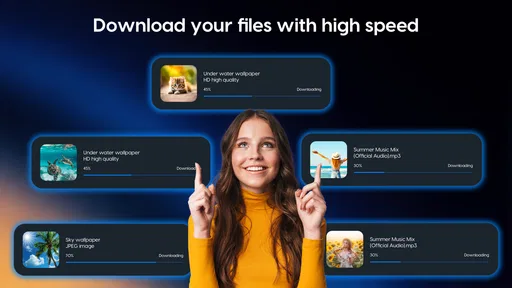
- Download progress is clearly displayed and easy to monitor.
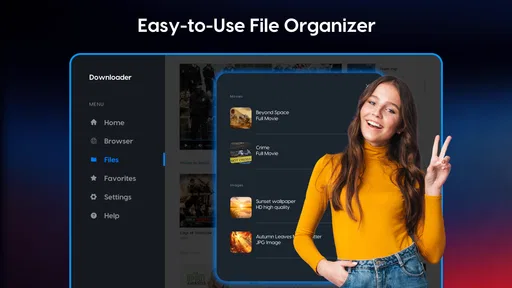
- Can help organize saved files in one convenient location.
- Useful for accessing content when an internet connection is unavailable.
Cons
- Download speed may depend heavily on the source server.
- Some links may fail if websites change their download restrictions.
- Large files can consume mobile data and device storage quickly.
- Background downloads may be limited by Android or iOS settings.
- The app may show advertisements during regular use.
FAQs for Downloader
What is Downloader, and what can I use it for?
Downloader is an app designed to help users access and save online content, depending on the services and links it supports. After installing it, you can usually enter a web address or search for compatible content, open the page inside the app, and download available files. Its exact capabilities may vary by platform, version, and the content provider’s restrictions.
Is Downloader free to install and use?
Downloader can generally be installed without an upfront payment, but the overall experience may depend on the version you download. Some releases may include advertising, optional upgrades, or premium features. Before installing, check the official store listing for current pricing, subscriptions, in-app purchases, and supported devices. Avoid unofficial versions that claim to unlock paid features.
Is Downloader safe for Android and iPhone users?
The safest way to use Downloader is to install it from Google Play or the Apple App Store and keep both the app and your operating system updated. Be careful when opening unfamiliar links or downloading files, because the app may provide access to third-party websites. Review requested permissions, avoid suspicious pop-ups, and use mobile security tools when appropriate.
What types of files or content can I download with Downloader?
The supported content depends on the specific Downloader app, its built-in browser, and the website hosting the file. Commonly supported downloads may include documents, images, audio, videos, or other publicly available files. Not every website works correctly, and some platforms block downloads or require an account. Always respect copyright, privacy rules, and the provider’s terms.
Why might a download fail or not appear on my device?
Downloads can fail because of an unstable internet connection, an expired link, insufficient storage, unsupported file types, website restrictions, or missing device permissions. On Android, check storage and file-access permissions; on iPhone, look in the Files app or the location selected during saving. Restarting the download, updating the app, or using a different network may also help.


